
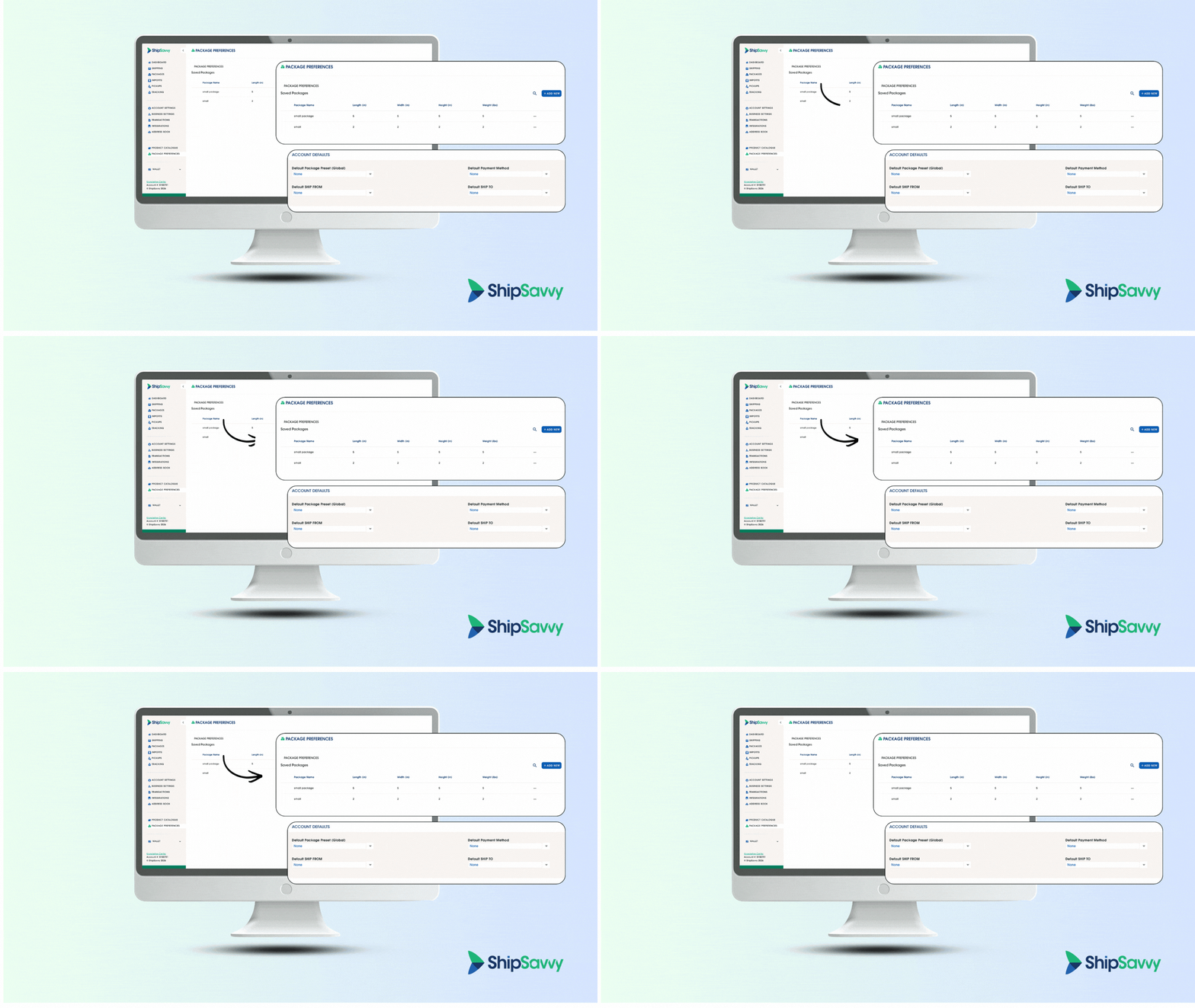
We’re back with another round of Savvy updates! In version 1.9.4-3, we’ve made it easier to manage package settings, sped up shipment creation, and introduced new personal defaults to help you move through your workflow faster.
Here’s what’s new in 1.9.4-3
This release includes a cleaner navigation experience, improvements to the shipment creation flow, and a brand-new Account Defaults, Package Preferences Section, Improved Shipment Creation UI/UX so you can save time on every shipment.
Savvy 🆕 Features 😉
New stuff that we put in place to make things better for you!
💡 Package Preference Relocation
We’ve reorganized the navigation to make key shipping tools easier to find and manage.
- Product Catalogue is now a standalone section in the main side panel
- Package Preferences now has its own dedicated tab alongside Product Catalogue
- The old Package Preference section has been removed from Business Settings and converted into a standalone page
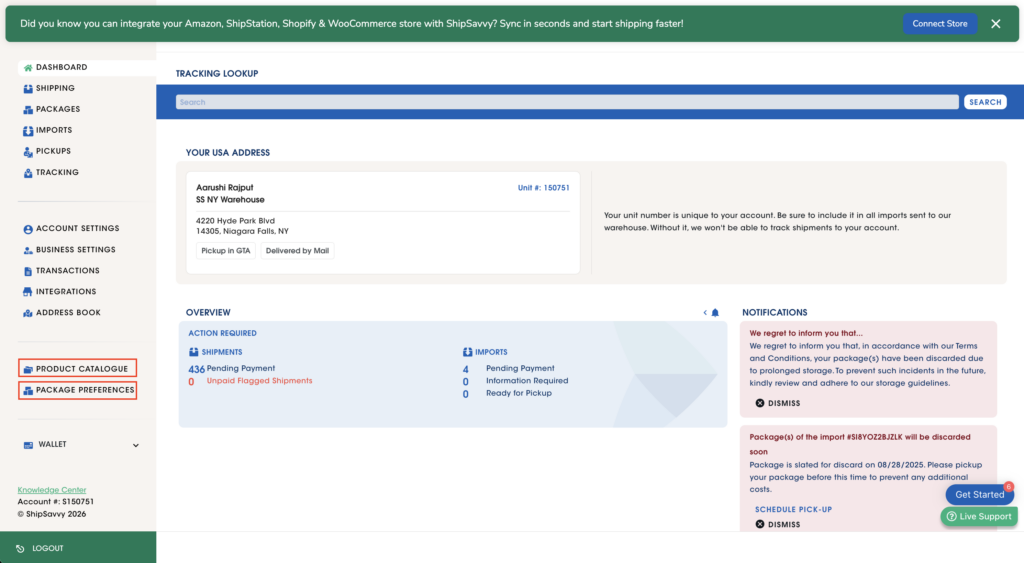
Your updated navigation now groups these tools together in one place:
- Address Book
- Product Catalogue
- Package Preferences
- Wallet
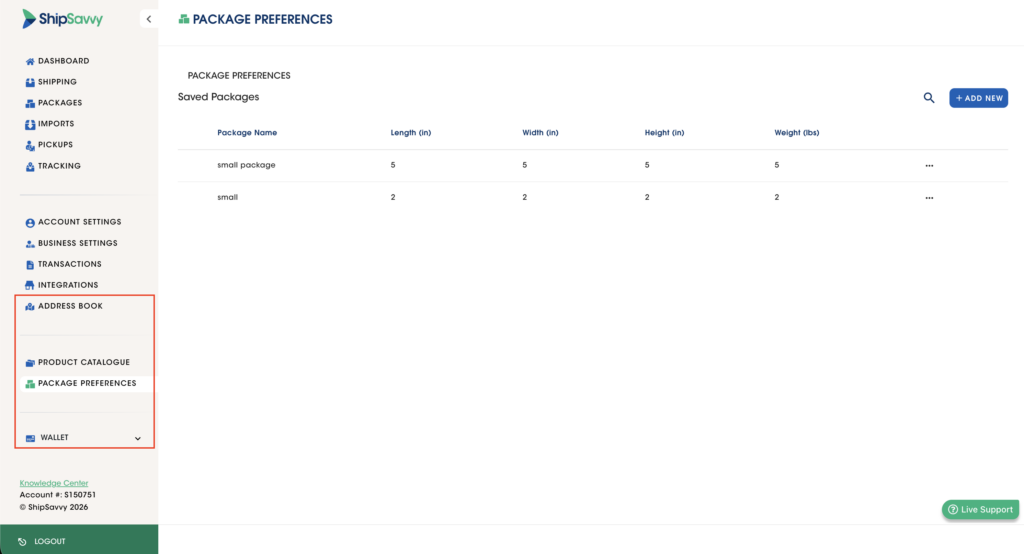
Why it matters: Your most-used setup tools are now easier to access, so you can spend less time searching and more time shipping.
🧾 Account Defaults Section Added
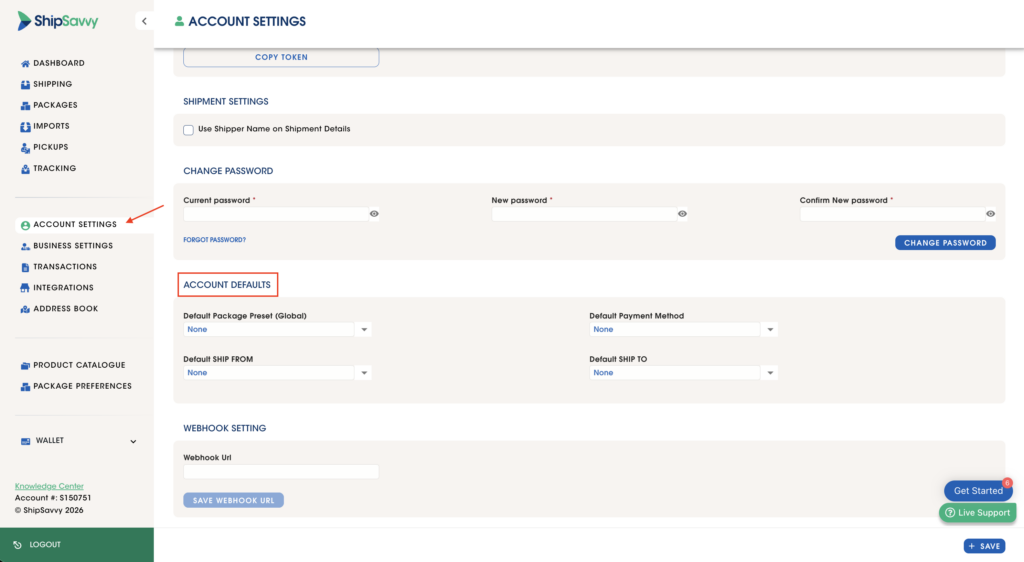
You can now save personal defaults to speed up every shipment you create.
- Added a new Account Defaults section under Change Password in Account Settings
- New configurable defaults for:
- Default Package Preset
- Default Payment Method
- Default Ship From
- Default Ship To
We’ve also improved Package Preferences so you can:
- Mark a package preset as your default
- Quickly identify your default preset with a new visual indicator
Why it matters: With your preferred shipment settings saved in advance, repetitive setup takes less time and fewer clicks. Very helpful when uploading bulk shipments using our template or through integrations.
Savvy System Updates ⚒️
Important updates to the system and how it works!
🖥️ Shipment Creation UI/UX Enhancements
Creating shipments is now faster, clearer, and more streamlined.
- Moved Add From Package Preference to the top of the package section, right under Package Count
- Replaced the old click-to-open flow with an always-visible dropdown for choosing package presets
- Fixed the Ship To address display so the full address now shows correctly during shipment creation
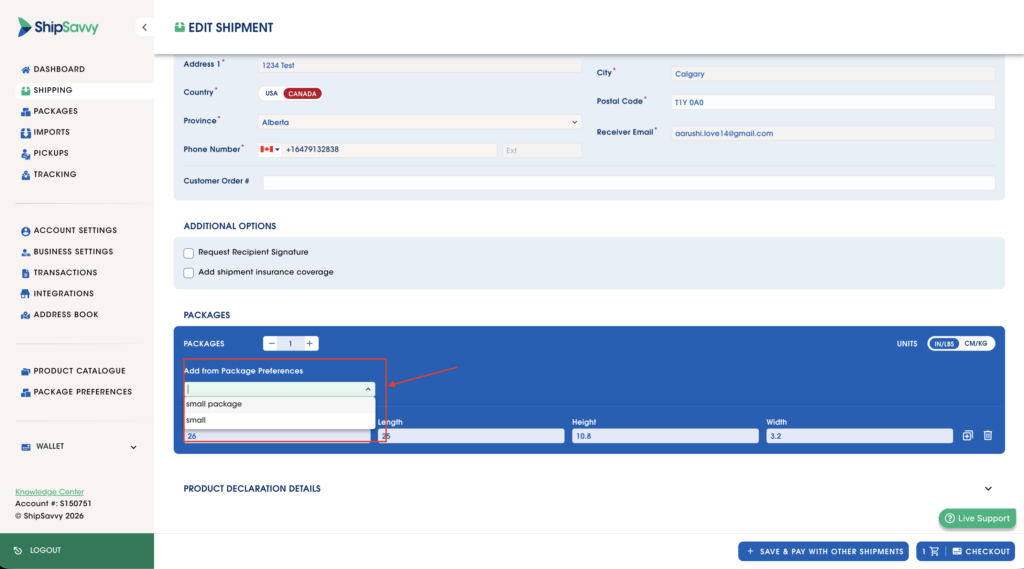
Why it matters: These updates make the shipment flow easier to navigate and help reduce friction while entering shipment details.
Notes
- Integration-specific default sender address logic is still preserved
- Personal defaults will not overwrite integration-level sender address configurations
Need Help?
All of these updates are now live in ShipSavvy.
If you have any questions or need help getting started, our team is here for you. Thanks for shipping with ShipSavvy, we’ll be back soon with more updates.