
You can now add optional insurance coverage for eligible shipments directly in ShipSavvy, powered by our trusted partner U-PIC Insurance. This guide walks you through eligibility, pricing, and how to opt in during shipment creation.
Why Add Shipping Insurance?
- Peace of mind for high-value shipments
- Quick opt-in during shipment creation
- Transparent, upfront pricing
- Optimized for speed — integrated directly into the ShipSavvy shipping flow
- Backed by U-PIC, a reliable third-party insurer
Eligible Shipments
You can add insurance when shipping:
- Shipments within Canada
- Shipments from Canada to the U.S. (Purchased postage only)
- Imports into Canada — Delivery orders only
Simple, Predictable Pricing
| Declared Value (CAD) | Rate | Maximum Coverage |
|---|---|---|
| Above $100 | $1.50 per $100, rounded up | $500 per shipment |
- HST applies.
- Insurance fee appears as “Other Fees” on your shipment summary and receipt.
Example: Declared value = $350 CAD → (($350 – $100) ÷ 100) × $1.50 = $3.75 + HST
How to Add Insurance During Shipment Creation
- Start a new shipment and enter the recipient’s address.
- Check the “Add Insurance” box (if route is eligible).
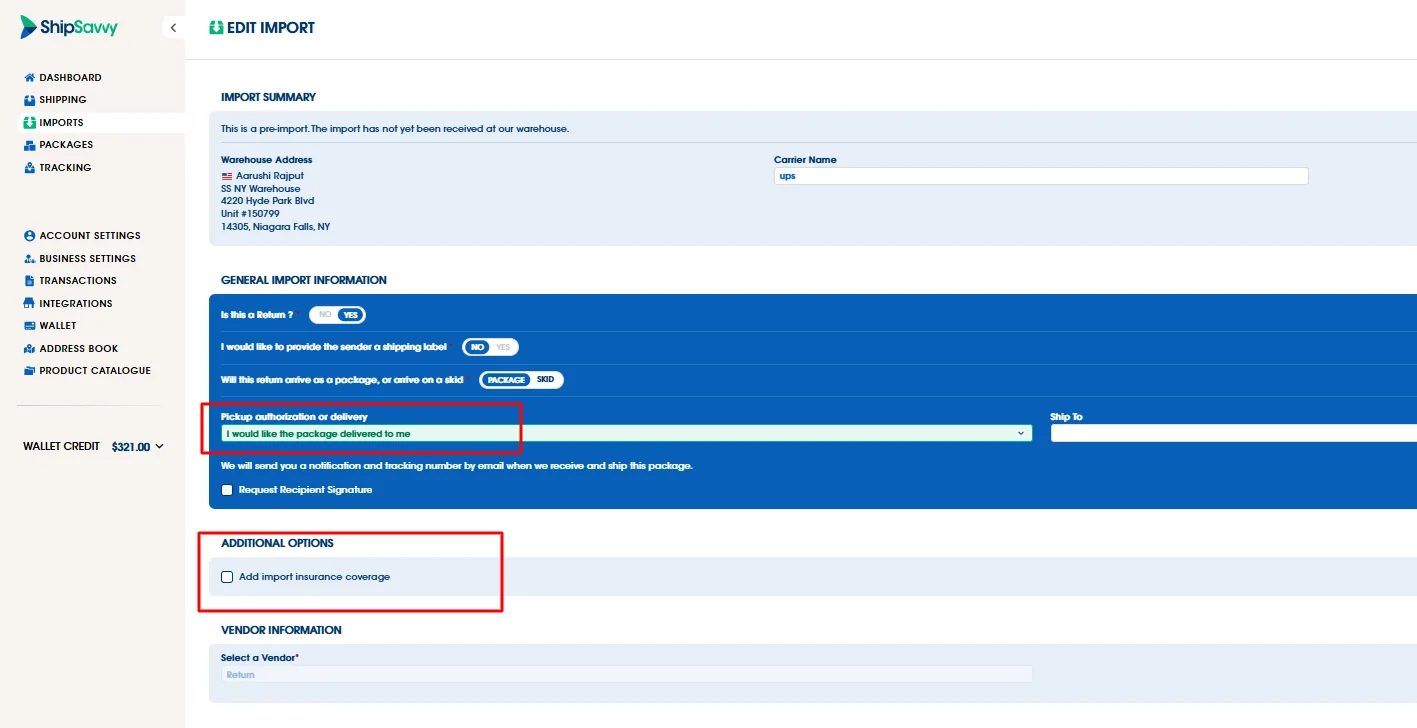
- For imports to Canada, select Delivery—the insurance option will appear below.
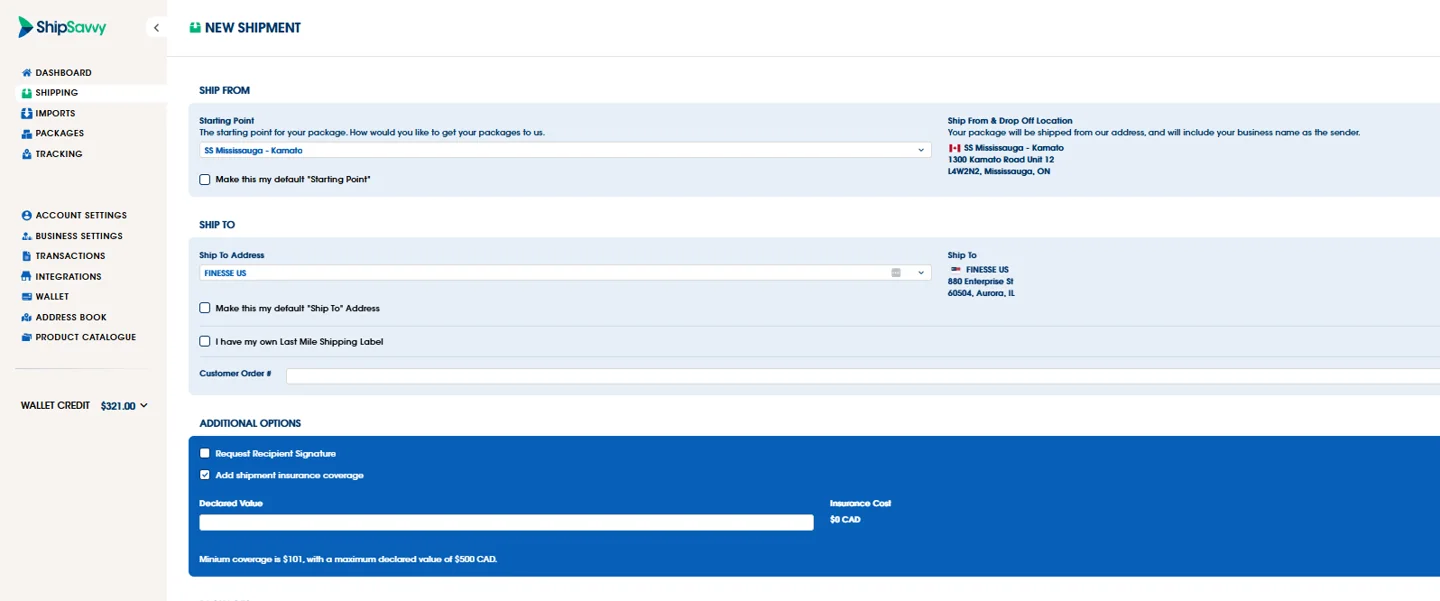
- Enter your declared value (must be between $101 and $500 CAD).
- The insurance fee appears instantly.
- Complete your shipment — charges appear in the shipment summary and receipt.
Need-to-Know Information
- Insurance is optional and user-controlled — ShipSavvy Admins do not add or manage it.
- One policy per shipment (not per package).
- ShipSavvy reports to U-PIC monthly (no live syncing). Claims are processed directly with U-PIC.
- Excluded items are not eligible for coverage (e.g. jewelry, laptops). For the full list of exclusions, See U-PIC's policy for a full list of exclusions.
Stay Up to Date with ShipSavvy's Latest Updates:
Want to receive expert shipping updates, alerts, and tips right to your inbox? Subscribe to SavvyNews
Last updated September 2, 2025