
To download your transaction receipts, simply follow these steps:
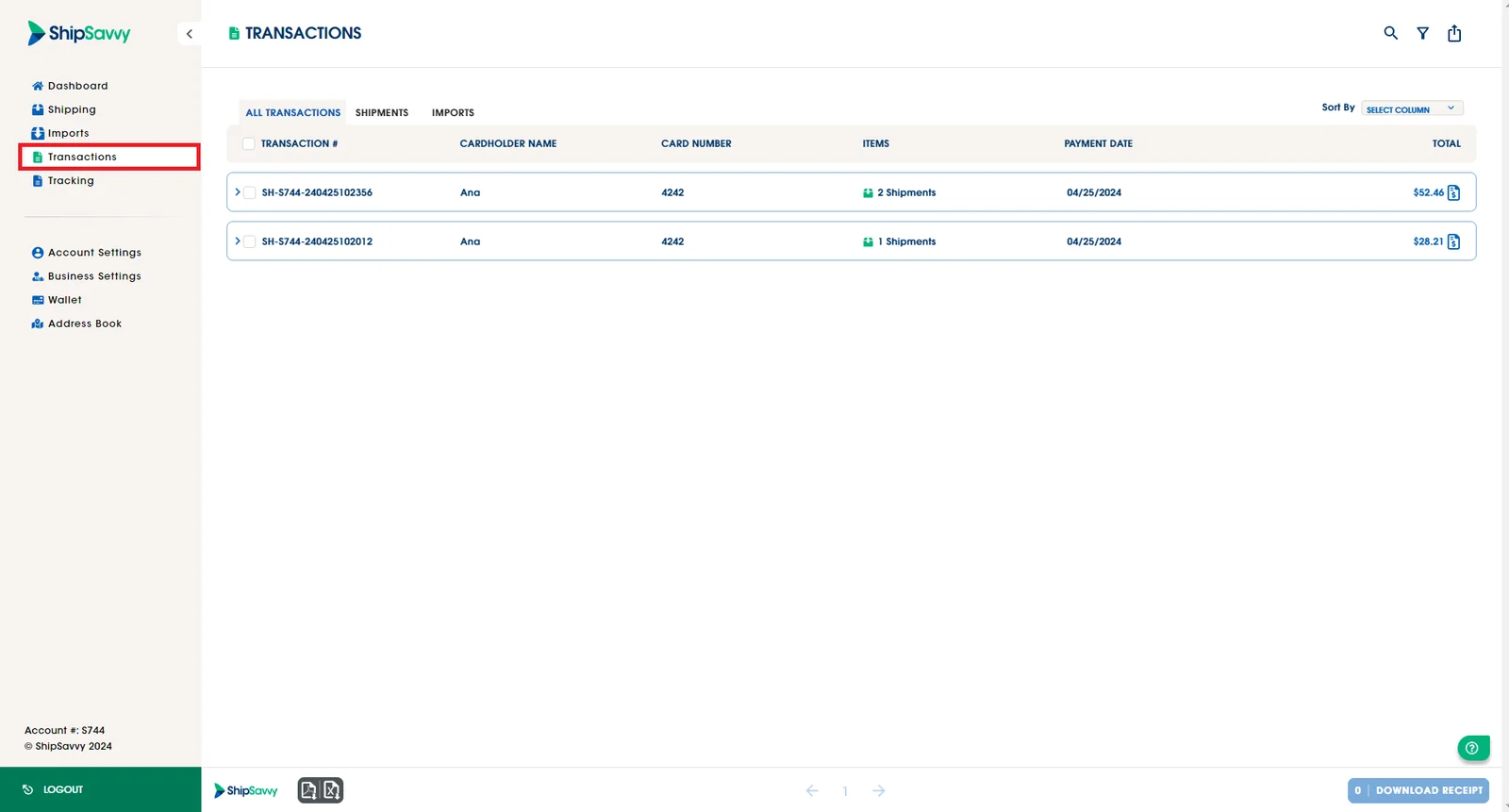
1. Log in to your ShipSavvy account. Once logged in, navigate to the Transactions tab located on the right-side bar.
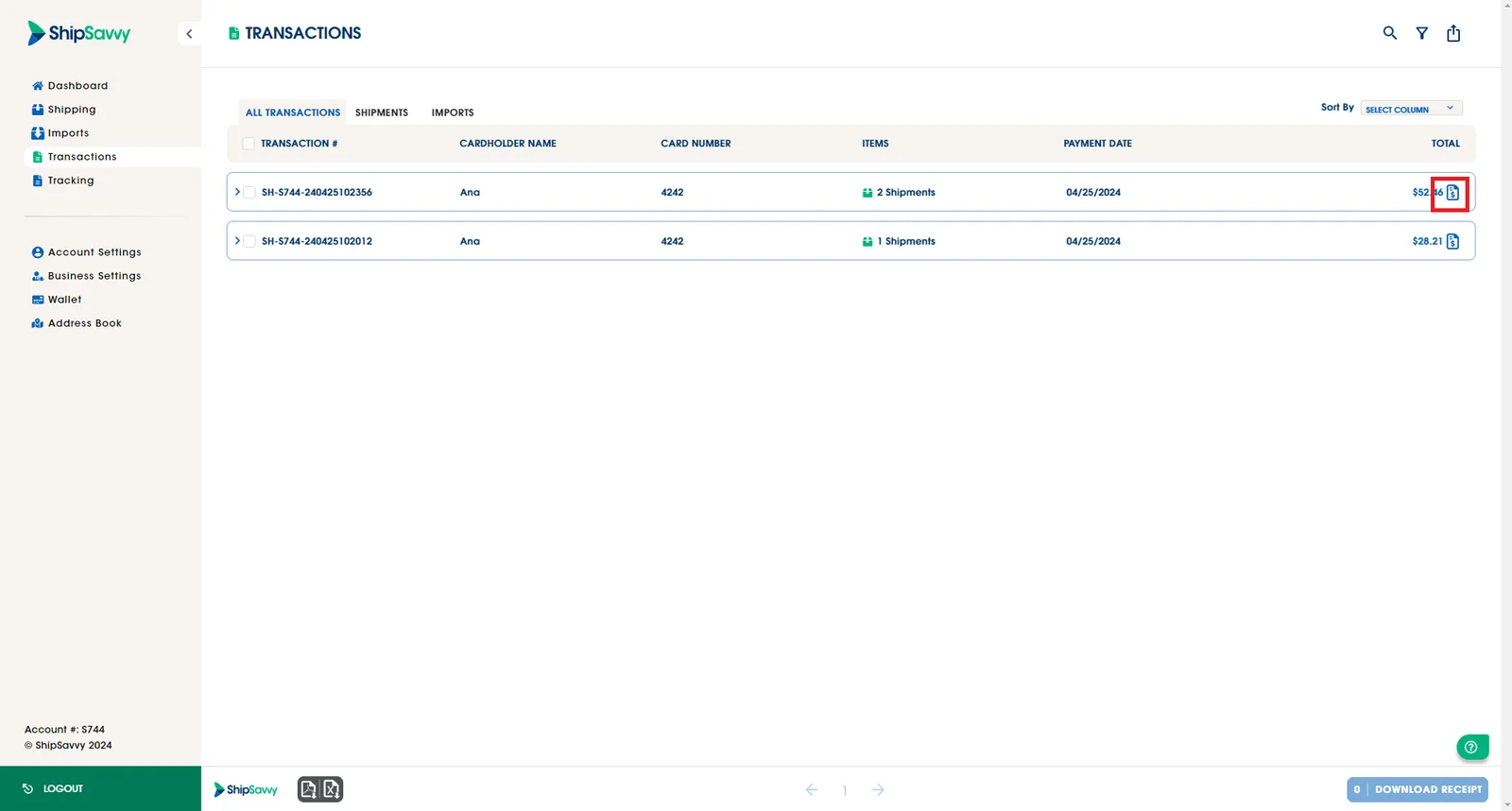
2. You will see your latest transactions, to download your receipts you have to click on the receipts icons of the transactions that yiu want to download.
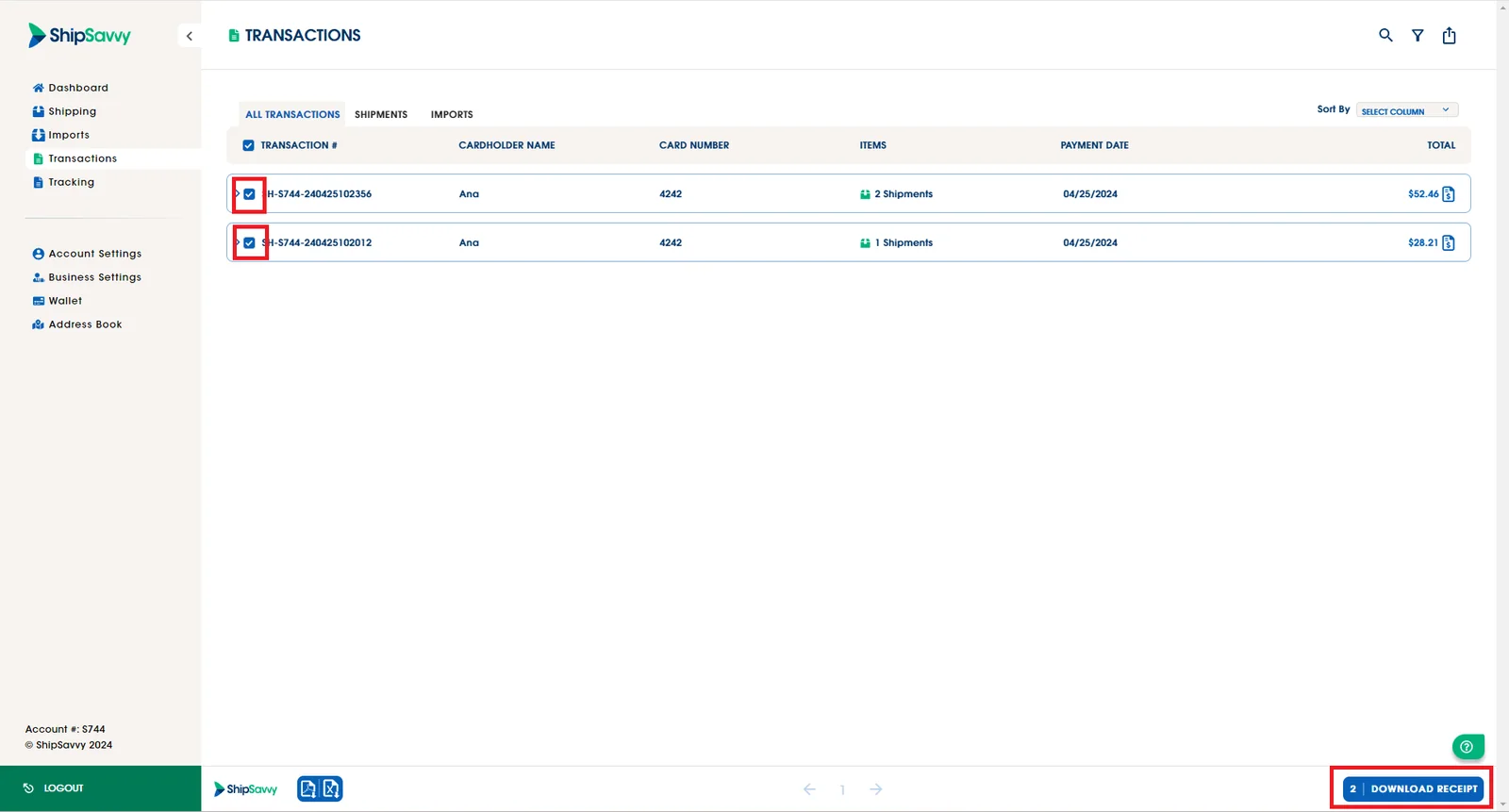
3. You can download more than 1 receipt, selecting on the checkbox located on the left side of each transaction, select the ones that you want to download. Click on the Download Receipt button.
Last updated April 30, 2024