
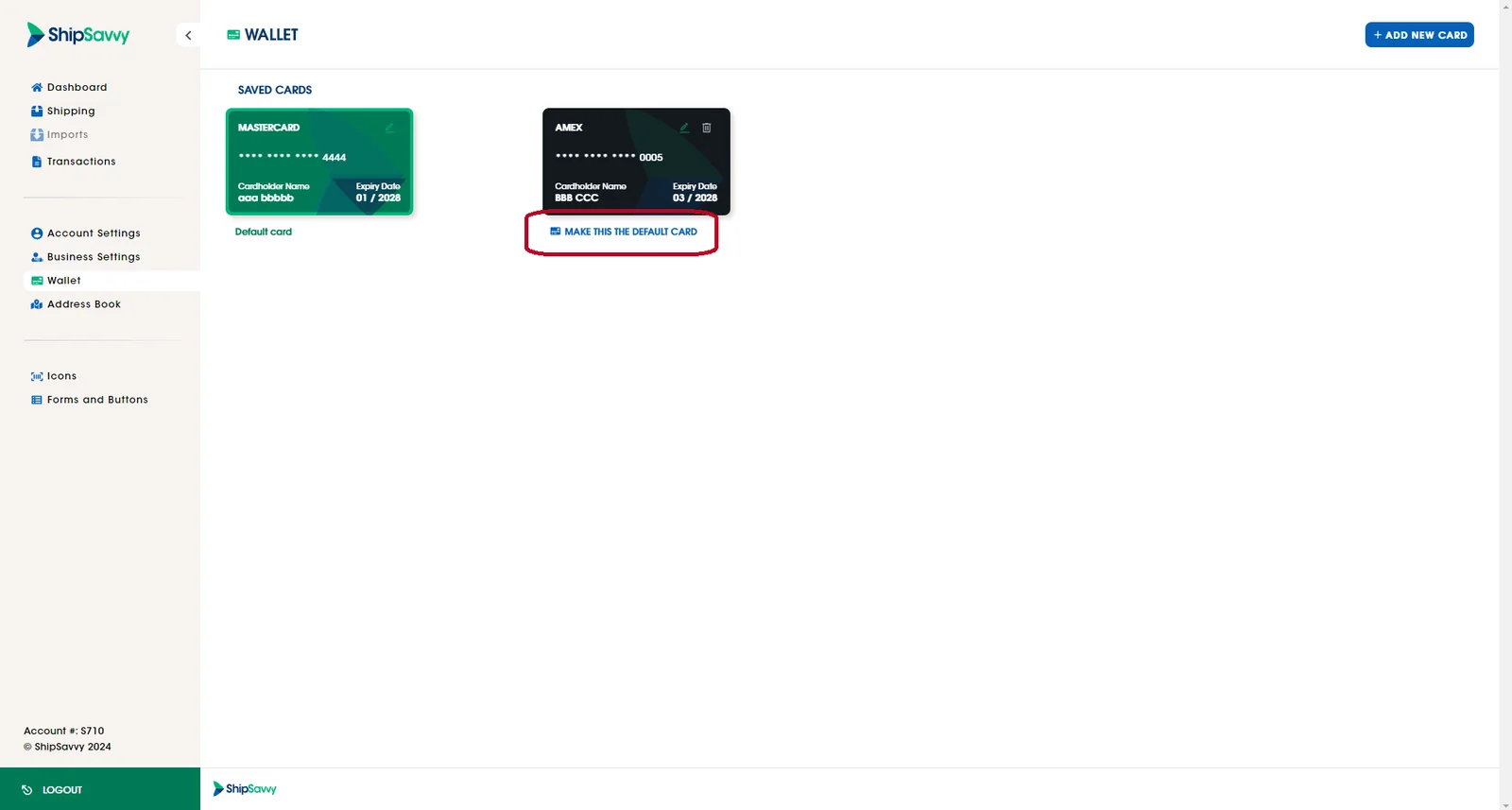
To change your default card, you just have to log in to your Shipsavvy account, click on the Wallet tab that is on the right-side bar. Once there, look for the card that you would like to make your default card and click on ‘Make this my default card’.
Last updated April 30, 2024